
Amazon Live: The Complete Guide to Livestream Shopping (2026)
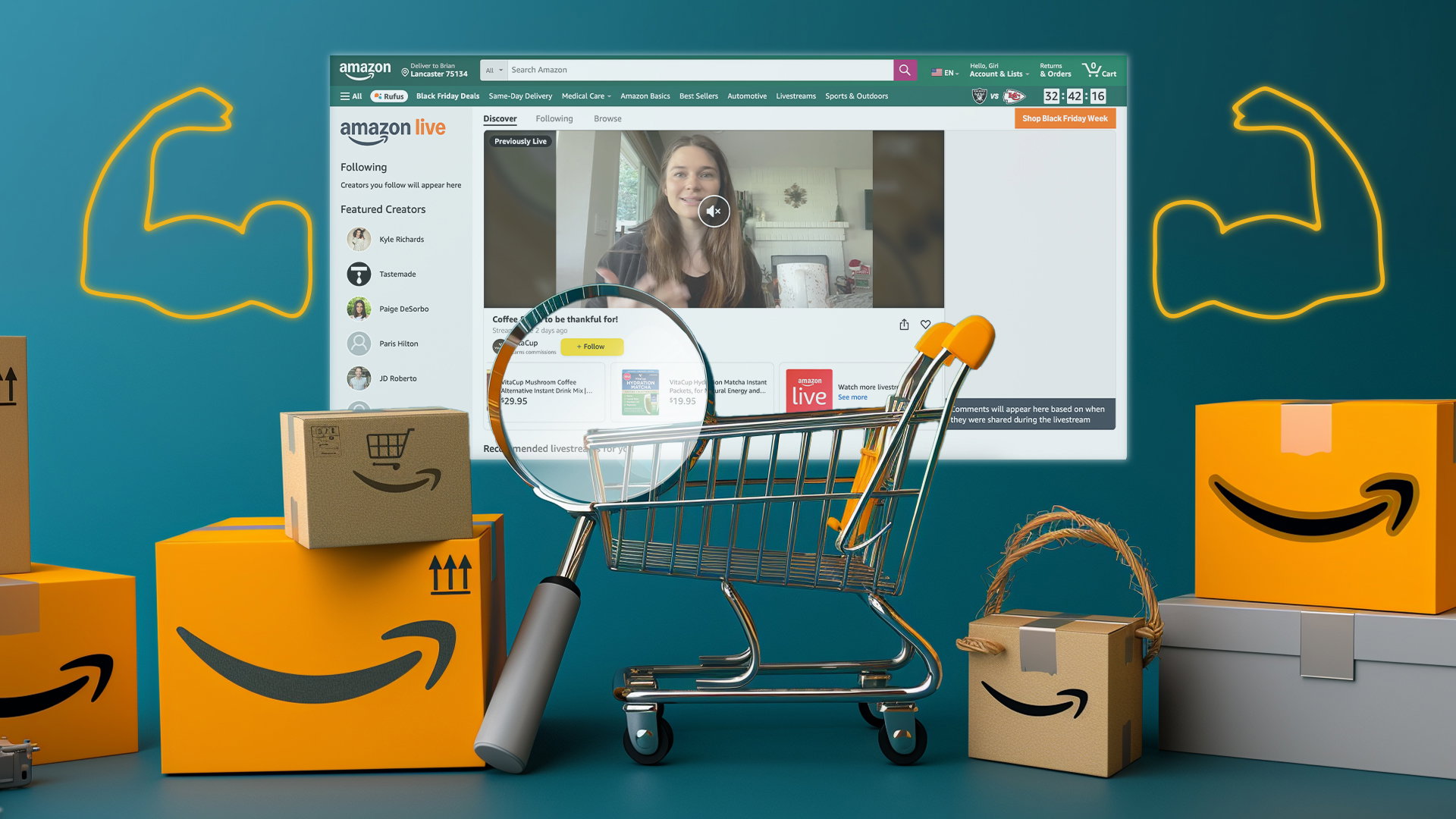
Amazon Live is Amazon’s livestream shopping platform. It allows eligible brands and creators to show products through live video, explain how they work, answer viewer questions, and promote products that people can buy while watching.
During an Amazon Live stream, viewers can watch product demonstrations, ask questions in the live chat, and browse featured products through a product carousel.
Eligible registered brand owners can create livestreams through Amazon’s creator tools. However, access depends on the seller’s account, marketplace, Brand Registry status, and Amazon’s current requirements.
Amazon Live can help Amazon sellers and e-commerce brands with:
- Product education
- New product launches
- Influencer campaigns
- Seasonal promotions
- Live shopping events
However, Amazon Live usually works best when the stream is planned like a full marketing campaign instead of a single video.
What Is Amazon Live?
Amazon Live is Amazon’s live shopping experience where brands, creators, or influencers can demonstrate products, interact with viewers, and feature shoppable products during a livestream.
Viewers can ask questions in live chat and shop products from a dynamic carousel without leaving the viewing experience, while eligible registered brand owners can create brand-led streams through Amazon’s creator tools.
Amazon Live can also support a brand’s broader live commerce strategy on Amazon.
Who Can Use Amazon Live?
Amazon Live access depends on several factors, including:
- Account type
- Marketplace
- Brand Registry status
- User permissions
- Campaign type
Brands should use the self-service option when the registered brand owner and marketplace are eligible.
Brands can use an influencer when a creator will host the stream and promote the products.
A managed-service option may be better when the campaign needs Amazon-supported talent, production, paid media, special placement, or detailed reporting.
Amazon’s public Amazon Live page says that Amazon.com/live is available on mobile and web in India and the United States.
The Amazon Live free ad-supported TV channel on Prime Video and Fire TV is currently available in the United States.
Managed-service Amazon Live campaigns may also be available in other listed markets.
Before planning the livestream, brands should confirm the exact access available inside Amazon’s current creator tools.
| User Type | Can Use Amazon Live? | Notes |
|---|---|---|
| Registered brand owner | Yes, where self-service access is available | Confirm Brand Registry role, account eligibility, and marketplace access in the Creator app. |
| Vendor | Yes, if eligible | Confirm access through the vendor account, Amazon Ads team, or approved managed-service route for the applicable marketplace. |
| Amazon Influencer | Yes, if eligible | Uses influencer storefront and creator tools |
| Non-brand-registered seller | No — not eligible to host | Products can still be featured by an eligible influencer or partner host. |
| Agency/production partner | Supports execution | Helps plan, host, film, promote, and measure |
Amazon Live Host for Brands: Who Should Run the Stream?
Choose the presenter by product, audience, budget, and campaign goal.
| Host Type | Best For | Pros | Watchouts |
|---|---|---|---|
| Founder or brand expert | Technical, premium, or story-led products | Authentic and knowledgeable | May need media training |
| Internal brand team | Ongoing livestream program | Cost control and product expertise | Requires time and consistency |
| Amazon influencer | Reach and credibility | Built-in audience and creator skill | Cost and brand fit vary |
| Professional host | Polished live presentation | Strong delivery and pacing | Needs product training |
| Agency/production partner | Full campaign execution | Strategy, script, filming, reporting | Higher cost than DIY |
This format gives brands more control over brand voice and production costs, but it requires a trained team and a consistent streaming schedule.
Amazon Influencer
This option is most suitable for lifestyle categories in which shoppers respond well to personal recommendations. When choosing an influencer, evaluate audience fit, category relevance, communication style, and past content quality.
How to Start an Amazon Live Stream Step by Step
Step 1: Confirm Eligibility and Access
First, check whether the account can access Amazon Live tools.
For a self-service brand stream, confirm that the brand is enrolled in Amazon Brand Registry.
The person signing in must also have the correct Brand Registry permissions required by the Amazon Live Creator app.
Check the following:
- Is the account recognized as a registered brand owner?
- Does the marketplace support self-service streaming?
- Does the user have the correct permissions?
- Do the selected ASINs belong to the approved brand catalog?
- Can the account access the Amazon Live Creator app?
When the app rejects access, check whether the user has Administrator or Rights Owner permissions.
Contact Brand Registry Support when permission problems continue.
Amazon Live has used creator levels such as Rising Star, Insider, and A-List. These levels have been used to separate creators based on their activity, performance, and program access.
As creators move to higher levels, they may receive better discoverability or access to more program opportunities.
However, Amazon can change the names, requirements, and benefits of these levels. Check Amazon’s current creator documentation before publishing information about them.
Step 2: Choose the Goal of the Live Event
| Event Type | Best Use | Example Format |
|---|---|---|
| Product launch | Introduce new ASINs | Founder demo + live Q&A |
| Tutorial | Explain complex products | How-to session |
| Influencer takeover | Expand reach | Creator-hosted product showcase |
Step 3: Select Products for the Carousel
The carousel should start with the hero product, followed by complementary products, bundles, variations, or related items.
For a brand-produced self-service stream, select products from the brand catalog authorized for the account. Do not add unrelated third-party ASINs unless the host and program route explicitly permit them.
Keep the product set focused and relevant.
Step 4: Choose a Host and Format
Use the host comparison above to choose the presenter, then select a format that matches the product and buyer intent.
Step 5: Create the Stream in the Amazon Live Creator App
Open the Amazon Live Creator app or approved streaming tool.
After the stream is created, copy the shareable stream link generated by the app and use it in the pre-event promotion plan, including email, social posts, creator channels, and paid media where appropriate.
Use a title and thumbnail that make the stream’s value clear.
Step 6: Test the Technical Setup
Test the setup before going live.
While the host practices product transitions, key talking points, and live Q&A responses, another team member should monitor the chat, answer simple questions, and flag important questions for the host.
Step 7: Promote Before Going Live
Step 8: Engage During the Live Stream
The host should welcome viewers quickly and explain what the stream will cover.
During the livestream, the host should:
- Introduce the featured products
- Show the products clearly
- Explain important features
- Demonstrate how the products work
- Invite viewers to use the chat
- Answer questions naturally
- Repeat key points for people who join late
- Direct viewers to the product carousel
- Mention deals, bundles, or offers clearly
- Keep the stream moving at a comfortable pace
The host should avoid long pauses, repeated information, and unclear product explanations.
Step 9: Review Performance and Repurpose Content
After the stream, review the performance framework below, document the main lesson, and identify the strongest moments to repurpose.
Does Amazon Live Drive Sales? Benefits and Results
Amazon Live benefits brands by combining video, product education, real-time shopper engagement, and direct product discovery inside Amazon’s shopping environment.
| Amazon Live Benefit | What It Means for Brands | Why It Matters |
|---|---|---|
| Real-time product demos | Show products in use | Reduces shopper uncertainty |
| Live chat | Answer shopper questions instantly | Builds trust and engagement |
| Product carousel | Feature products during the stream | Makes shopping easier |
Amazon’s campaign analysis found that audiences exposed to Amazon Live and at least one other ad product had a 17x higher purchase rate than audiences not exposed to Amazon Live campaigns. Amazon also reported a 55% higher branded-search rate for audiences who saw Amazon Live creative assets plus another ad product. These historical U.S. campaign findings are directional and are not guarantees of future results.
Where Amazon Live Streams Can Appear
Placement availability differs by campaign type and country. Amazon.com/live mobile and web experiences are listed for India and the United States, while the Amazon Live FAST channel on Prime Video and Fire TV is listed for the United States.
See the current placement details below.
Amazon Live content can appear on Amazon.com/live, in Brand Stores, through targeted media, and on the Amazon Live FAST channel on Prime Video and Fire TV in the United States. On Amazon.com and the Amazon app, shoppers can use a dynamic product carousel; U.S. TV viewers can use the Amazon app’s “Shop the Show” experience.
| Placement / Surface | Why It Matters |
|---|---|
| Amazon.com/live | Main discovery destination |
| Amazon Store | Supports brand storytelling |
| Prime Video and Fire TV surfaces, where available | Extends live shopping into TV viewing |
What to Measure After an Amazon Live Event
Amazon may provide different performance metrics depending on the campaign type and account access.
For brand-produced livestreams, reported metrics may include:
- Total sales
- Followers
- Follower growth
- Unmuted views
- Video views
- Total watch hours
- Average view duration
- Product clicks
- Minutes streamed
- Total livestreams published
Managed-service sponsorships may also provide full-funnel reporting.
For eligible managed-service advertisers in the United States, Amazon Marketing Cloud can support:
- Path-to-conversion analysis
- Audience analysis
- Cross-channel analysis
- Custom audience creation
| Metric | What It Shows | What to Do With It |
|---|---|---|
| Viewer retention | Where people stayed or dropped | Improve pacing and content flow |
| Product clicks | Product interest | Reorder carousel and improve demos |
| Sales after stream | Revenue impact | Compare with promotions and ads |
How to Read the Data
Viewership trends can show how audiences respond to the content. Use the following patterns to diagnose performance:
- Early exits: strengthen the opening.
- Views without clicks: improve the demo or CTA.
- Clicks without sales: review price, listing quality, reviews, inventory, and the offer.
When Not to Use Amazon Live
| Use Amazon Live When | Be Careful When |
|---|---|
| Product needs demonstration | Listing is not retail-ready |
| You can promote before the event | No budget for production/influencer support |
| You have a clear measurement plan | You expect instant profit from one stream |
Amazon Live does not guarantee traffic or sales.
Amazon Live Best Practices for Brands
Keep each livestream focused on one clear theme.
Use a product set that is easy for viewers to follow.
A focused session of around 20 to 40 minutes may be more useful than a long stream that covers too many unrelated topics.
Brands should also:
- Start with the main value quickly
- Show the product instead of only talking about it
- Prepare answers to common questions
- Use a trained host
- Assign someone to monitor chat
- Promote the stream before it starts
- Keep the product carousel organized
- Mention products clearly
- Review the results afterward
- Reuse the strongest content
Amazon Live as an Advertising Channel
Amazon Live can be more than a self-service livestream.
Brands may also use managed-service sponsorships that combine:
- Creator-led content
- Production support
- Promotional media
- Placement options
- Full-funnel reporting
Amazon Live creative assets may also support:
- Display campaigns
- Online video campaigns
- Social campaigns
- Brand Store campaigns
For eligible U.S. managed-service advertisers, Amazon Live signals in Amazon Marketing Cloud may help with:
- Path-to-conversion analysis
- Audience analysis
- Cross-channel measurement
- Custom audience creation
This allows brands to measure Amazon Live as part of the wider Amazon Ads strategy instead of treating it as a separate content event.
How Amazon Live Fits Into a Broader Amazon Marketing Strategy
Amazon business intelligence and reporting can connect Amazon Live activity with sales, traffic, and product-level performance.
Amazon Marketing Cloud may help eligible advertisers connect Amazon Live engagement with other Amazon Ads touchpoints.
This can help brands study:
- Audience overlap
- Paths to conversion
- Livestream engagement
- Paid media exposure
- Cross-channel performance
Brands looking for outside support should choose an Amazon advertising partner that can connect livestream planning with:
- Sponsored Ads
- Listing readiness
- Creator coordination
- Brand Store strategy
- Sales reporting
- Product-level performance
Amazon Shoppable Videos and Related Formats
Amazon Live is a scheduled and interactive video format.
On-demand shoppable videos are different because shoppers can watch them outside a live event.
Both brands and creators can use shoppable videos to explain and demonstrate products.
Brands that want to widen that reach can stream to multiple platforms at once, sending the same broadcast to YouTube, Twitch, and an embedded player on their own site without doubling the encoder workload.
Livestream clips may also be reused for:
- Brand Store videos
- Product education
- Social media
- Paid advertising
- Creator content
- Other marketing channels
Amazon Inspire should not be presented as an active 2026 format.
Amazon discontinued Inspire in February 2025.
The current opportunity should focus on:
- Amazon Live
- On-demand shoppable videos
- Brand Stores
- Creator content
- Cross-channel content reuse
Amazon Live Trends and Tips for 2026
Amazon Live is expanding beyond a single shopping-page experience. Brands can use Amazon.com/live and Brand Stores, while U.S. campaigns can extend to the Amazon Live FAST channel on Prime Video and Fire TV. Managed-service programs increasingly combine creator talent, production, promotional media, and full-funnel reporting. Measurement is also becoming more advanced through Amazon Live signals in Amazon Marketing Cloud. In 2026, brands should plan livestreams as reusable, measurable campaigns: choose a clear audience and product story, secure promotion before the event, build clips for post-event distribution, and compare livestream engagement with the rest of the Amazon Ads journey.
When to Get Expert Help With Amazon Live
Our Amazon team applies the same campaign discipline used across Sponsored Ads, listing optimization, Store strategy, creator coordination, and reporting when planning livestream programs for brands.
Conclusion: Amazon Live Works Best as a Planned Commerce Event
Brands that gain the most value from Amazon Live treat each stream as a planned campaign rather than relying on organic discovery alone.
To plan livestreams alongside your ads and content, work with our Amazon marketing agency.
Book a 1:1 growth call with SalesDuo.
Amazon Live FAQs
1. Can customers chat with hosts on Amazon Live?
Yes. Viewers can ask questions through live chat during eligible Amazon Live streams, allowing hosts or support team members to answer product questions in real time.
2. How do I start an Amazon Live stream?
Confirm account eligibility, open the Amazon Live Creator app or approved tool, select products, create the title and thumbnail, test the setup, copy the shareable link, promote the event, and start the stream.
3. What is Amazon Live?
Amazon Live is Amazon’s livestream shopping format, where eligible brands and creators demonstrate products, interact through live chat, and let viewers shop featured items from a product carousel.
4. What are the main Amazon Live benefits?
Amazon Live helps brands demonstrate products, answer shopper questions, improve product discovery, support launches and creator campaigns, and reuse livestream content across other channels.
5. How do you use Amazon Live?
Follow the steps above.
6. Who can host Amazon Live for brands?
Eligible brands, creators, and partners can host.
7. Do you need a Brand Registry to use Amazon Live?
Registered brand owners can use Amazon Live where self-service streaming is available, subject to marketplace, account, role, and content requirements. Influencers and managed-service campaigns may use different access routes. Confirm the active requirements in the Amazon Live Creator app and Amazon’s official Amazon Live page before scheduling a stream.
8. Is Amazon Live free?
Amazon does not present self-service creation as a separate paid media placement for eligible registered brand owners, but brands may still incur costs for hosts, creators, production, product samples, promotion, editing, and measurement. Managed-service Amazon Live campaigns are paid programs.
9. Does Amazon Live increase sales?
Amazon Live can support sales and consideration when it is paired with relevant products, promotional media, and other Amazon Ads touchpoints. Amazon reported a 17x higher purchase rate among audiences exposed to Amazon Live campaigns and at least one other ad product than among audiences not exposed to Amazon Live campaigns; this historical U.S. analysis is not a guarantee of future results.
10. Should Amazon Live be part of every Amazon strategy?
No. Use Amazon Live when the product benefits from demonstration and the listing, inventory, promotion plan, and measurement setup are ready.
About the Author
Badal Tharayil is a master of customer success, turning first impressions into lasting partnerships. Known for proactive communication and flawless onboarding, he’s the bridge between client satisfaction and operational excellence. Outside work, Badal loves exploring cinema, expressing himself on the dance floor, and staying energized through fitness pursuits.
